So you deployed a CDK stack, the pipeline went green, and you called it production. Then three weeks later, at 2am, your on-call gets paged because a credential expired, and it turns out the Secrets Manager rotation had been silently failing for a month because someone quietly removed a security group rule during a refactor. That's the story this post is about. Not the happy path - the aws cdk web application deployment fargate aurora stack that actually survives contact with production traffic, expired secrets, and an AWS bill that didn't surprise you.
Who Is This For
OK so if you're an engineer who's shipped CDK stacks before and you know your way around VPCs, this is for you. Not for the "what is a subnet" crowd - I'm going to assume you know why we have private subnets and why you don't put RDS in a public one.
Specifically, you're probably in one of these situations:
- You're building a production web app on AWS and the tutorials are all stopping at "VPC + ALB + Fargate, good luck."
- You inherited a stack that's "basically production-ready" and you want to know what's actually missing.
- You've wired some of these services together before but never all of them in a single CDK app, and you want to understand the dependency graph before you discover it at 2am.
If that's you - yeah, this is the post.
Problem and Why It Matters
Every CDK tutorial gives you the same three services and calls it done.
VPC. Fargate. ALB. "You're production-ready!" And honestly, for a demo, you are. But real production means you also need: encrypted RDS with credential rotation, a CDN layer that doesn't leak your S3 bucket to the public internet, an auto scaling policy that doesn't leave you serving degraded traffic during cold starts, and a networking config that doesn't silently break when someone touches the route tables.
The dangerous part isn't that these things are hard. It's that most of them fail quietly, right? Secrets Manager rotation doesn't throw an alarm when it fails - it just... stops rotating. You find out when the 90-day credential expires and suddenly no tasks can connect to Aurora. That's your 2am call.
And then there's the cost side. NAT Gateway is the one that gets teams the most. You know how you add one per AZ for HA (which is the right call, by the way) and suddenly you're looking at roughly $100/month per gateway just in data processing fees, before you've moved a single application byte? I've actually seen engineers deploy three NAT Gateways - one per AZ - and not notice it for two months. That's $300/month in infrastructure that exists purely to route private subnet traffic. You want to know about this before you get the bill, not after.
The point is: the hard part of this stack isn't any individual service. It's wiring them all together so that every dependency edge - VPC endpoint routes, KMS key policies, security group rules - is owned explicitly in code. Because if it's not in code, it'll drift.
When This Approach Fits
This stack is the right call when you have: containerized workloads you don't want to manage EC2 for, a relational data model you're not rewriting anytime soon, variable traffic that needs auto scaling, and a compliance or security posture that requires encrypted data at rest and secret rotation.
If you have literally three users and you're on a startup budget, Aurora provisioned at $150-200/month minimum is the wrong choice right now. Go look at Aurora Serverless v2 or just use RDS Single-AZ until you have real traffic. This stack is for when you're past the "prove the idea" phase and you need the thing to actually work under load, under audits, and under on-call pressure.
Oh, and another thing - if you're not ready to own the operational surface this creates, wait. The EventBridge global endpoint failover in this stack is genuinely useful, but it's also genuinely dangerous if you don't understand what it's alarming on. More on that in the failure modes section.
Architecture or Implementation Overview
Here's how the stack is structured, layer by layer.
At the bottom: a custom VPC with three subnet tiers. Public subnets get the ALB and NAT Gateways. Private subnets get the Fargate tasks. Isolated subnets - no internet route at all - get Aurora. This is actually not just a "best practice" checkbox. Isolated subnets mean that even if someone misconfigures a security group, there's no route for Aurora to call home. The VPC itself enforces the isolation. [from-code]
Above that: an Application Load Balancer in the public subnets, ACM-terminated HTTPS, forwarding to ECS Fargate tasks pulling images from ECR. The Fargate tasks live in private subnets - they can reach out through NAT, but nothing external can reach them directly. [from-code]
Aurora sits in those isolated subnets with KMS encryption. Credentials get vended through Secrets Manager, with rotation configured via a Lambda rotator in the same VPC. S3 plus CloudFront handles static asset delivery with origin access control - OAC, not the old origin access identity pattern - so S3 is never publicly accessible. [from-code]
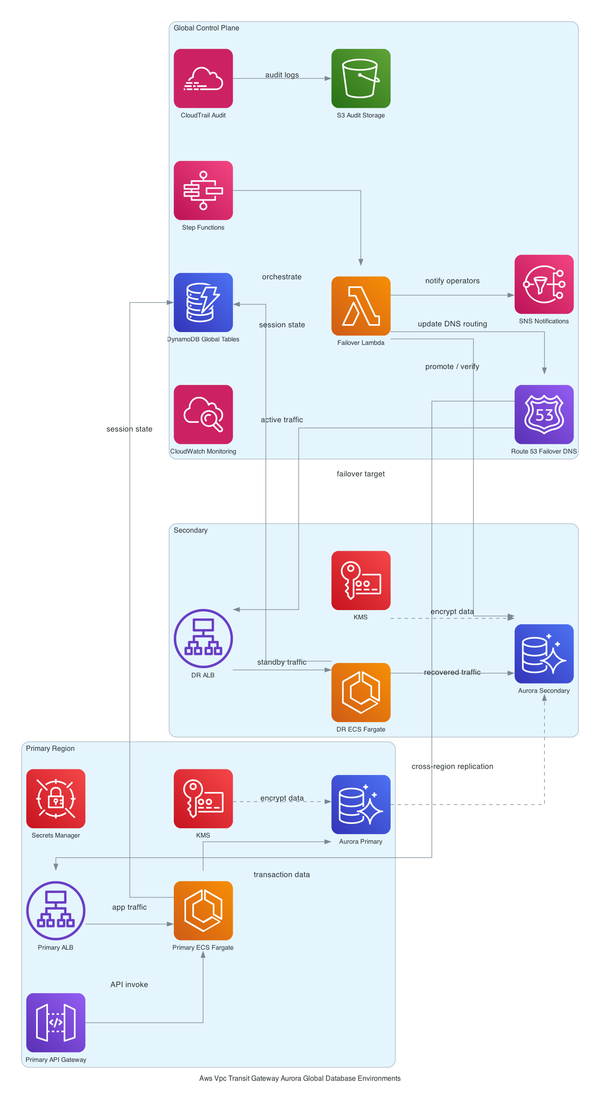
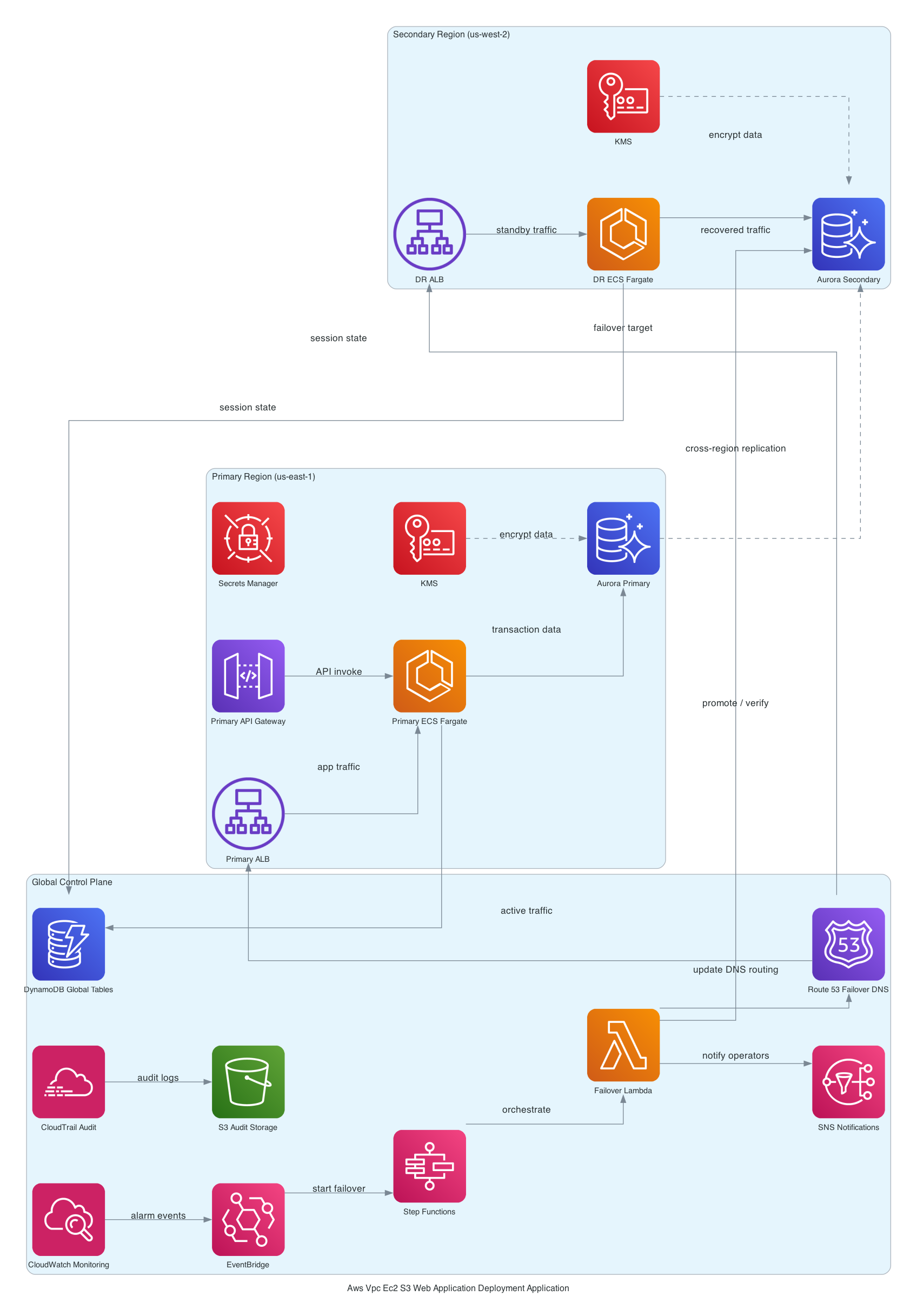
Auto Scaling watches ALB RequestCountPerTarget and adjusts the Fargate task count. CloudWatch collects logs and alarms across the stack. And then there's the interesting bit - an EventBridge global endpoint with Route 53 health checks for cross-region failover. Most CDK examples don't include this. The fact that it's here suggests this team was building toward multi-region active-active, not just a DR checkbox. [inferred]
For a deeper look at how the Fargate networking and VPC endpoint wiring actually works, I've covered that in more depth on the ECS Fargate networking and VPC endpoint setup post.
Step-by-Step Implementation
OK so here's the part where I show you the actual shape of the CDK code. I'm going to walk through the Fargate + ALB wiring since that's the core of the stack - the Aurora setup and EventBridge failover logic are in the paid tier below because they're long and the failure modes deserve their own context.
The VPC construct goes first. Always. Everything else depends on it:
const vpc = new ec2.Vpc(this, 'AppVpc', {
 maxAzs: 3,
 natGateways: 3, // one per AZ - yes this costs money, yes it's worth it
 subnetConfiguration: [
 { name: 'Public', subnetType: ec2.SubnetType.PUBLIC, cidrMask: 24 },
 { name: 'Private', subnetType: ec2.SubnetType.PRIVATE_WITH_EGRESS, cidrMask: 24 },
 { name: 'Isolated', subnetType: ec2.SubnetType.PRIVATE_ISOLATED, cidrMask: 24 },
 ],
});
Then the ECS cluster and Fargate service:
const cluster = new ecs.Cluster(this, 'AppCluster', { vpc });

const taskDef = new ecs.FargateTaskDefinition(this, 'AppTask', {
 memoryLimitMiB: 1024,
 cpu: 512,
});

taskDef.addContainer('AppContainer', {
 image: ecs.ContainerImage.fromEcrRepository(repo, 'latest'),
 portMappings: [{ containerPort: 8080 }],
 logging: ecs.LogDrivers.awsLogs({ streamPrefix: 'app' }),
});

const service = new ecs_patterns.ApplicationLoadBalancedFargateService(this, 'AppService', {
 cluster,
 taskDefinition: taskDef,
 publicLoadBalancer: true,
 listenerPort: 443,
 certificate: acmCert,
 taskSubnets: { subnetType: ec2.SubnetType.PRIVATE_WITH_EGRESS },
});
And the auto scaling policy:
const scaling = service.service.autoScaleTaskCount({ maxCapacity: 10, minCapacity: 2 });
scaling.scaleOnRequestCount('RequestScaling', {
 requestsPerTarget: 1000,
 targetGroup: service.targetGroup,
});
That requestsPerTarget number is the one to watch. Too low and you're spinning up tasks constantly. Too high and you're degraded before scaling kicks in. Start conservative, watch your metrics for two weeks, then tune. (I learned this the hard way on a Friday deploy.)
Trade-offs
A few things I want to be honest about here.
NAT Gateway vs. VPC endpoints. Three NAT Gateways for HA is roughly $300/month just in base costs before data transfer. You can reduce this significantly by using VPC Interface Endpoints for ECR, Secrets Manager, and CloudWatch Logs - the services your Fargate tasks actually need. The tradeoff is construct complexity; each endpoint needs its own security group and DNS config. But if you're doing this again from scratch, NAT Gateway cost optimization in CDK is where I'd start before deploying.
Aurora provisioned vs. Serverless v2. The provisioned Aurora cluster in this stack runs $150-200/month minimum regardless of whether you have one user or ten thousand. That's the right call if you have consistent baseline traffic - the performance predictability is real. If your traffic is spiky or you're in early stages, Aurora Serverless v2 would cut idle cost to near zero. [inferred from AWS RDS pricing]
Fargate vs. EC2. Fargate costs 20-30% more per vCPU-hour than equivalent EC2 [inferred from AWS public pricing]. At 5 tasks, you don't care. At 50 tasks running 24/7, you're having a different conversation. The elimination of AMI patching, ECS agent management, and instance right-sizing is worth the premium at low task counts. At high task counts, run the math.
What Happens When This Stack Breaks at 2am
The Secrets Manager rotation failure is the one I want to spend time on because it's genuinely sneaky. This blew my mind the first time I traced it.
So basically, rotation requires a Lambda rotator deployed into the same VPC as your Aurora cluster, with a route to the RDS endpoint and a security group rule allowing the connection. If that security group rule gets removed during a refactor - maybe someone was "cleaning up" security groups and didn't realize that rule was load-bearing - rotation silently fails. Not loudly. Silently. Your CloudWatch dashboard looks fine. Your tasks are healthy. And then 90 days after the rotation started failing, your credential expires and every task in the cluster throws a connection error simultaneously.
Seriously.
The EventBridge global endpoint failure mode is equally fun. The health alarm uses Invocations as its signal, with treatMissingData: NOT_BREACHING [from-code]. This means if your application legitimately goes quiet - say, an overnight maintenance window where no events are published - the alarm treats missing data as healthy. That's actually the right default for a consistently event-driven system. But for low-volume applications, you can go days without an invocation legitimately, and then when something actually breaks, the alarm doesn't fire because it's used to seeing nothing. You need a dead-man's-switch pattern here, or a more precise metric.
Cold start lag during auto scaling spikes is the third one. ALB RequestCountPerTarget is reactive by nature - you're already under load before the scaling policy sees it. A Fargate task takes 30-60 seconds to start. That gap means your first burst of traffic hits your existing task count, possibly at full saturation. Predictive scaling or a more aggressive pre-warm strategy helps, but this is an inherent trade-off with reactive scaling policies.
For a deeper look at these and other patterns, the AWS CDK multi-region architecture patterns post covers the EventBridge failover design in more detail.
Security and Operational Considerations
A few things that aren't optional.
KMS CMK for Aurora adds about $1/month per key plus $0.03 per 10k API calls [inferred from AWS KMS pricing]. That's not the concern. The concern is key policy drift. If the Lambda rotation function's kms:Decrypt permission gets removed from the key policy - again, a quiet refactor removes a statement someone didn't recognize - rotation breaks. Not loudly. And you don't find out until the credential expires.
S3 with OAC (origin access control) means your S3 bucket policy only permits CloudFront's service principal - not the old OAI ARN pattern that's been deprecated. This is the right setup. If you ever see a tutorial using OriginAccessIdentity instead of OriginAccessControl, that's the old way. The newer OAC pattern is more secure and works with SSE-S3 and SSE-KMS buckets. [from-code]
For Secrets Manager rotation specifically: make sure you have a Secrets Manager rotation failure mode alarm in place. AWS doesn't give you one by default. You have to explicitly alarm on rotation failure events in CloudWatch. Most teams don't add this until after the first incident.
Classic AWS.
Cost Reality
Let me give you real numbers so you're not surprised.
| Service | Monthly Estimate |
|---|---|
| NAT Gateway x3 (base + data) | ~$300 |
| Aurora Provisioned (db.t3.medium) | ~$150-200 |
| Fargate (2 tasks baseline) | ~$30-50 |
| CloudFront + S3 | ~$5-20 |
| ALB | ~$20 |
| KMS CMK | ~$1-2 |
| Secrets Manager | ~$1 |
| Total baseline | ~$500-600/month |
That number surprises people, right? The Fargate tasks are cheap. The NAT Gateways are not. If you replace two of the three NAT Gateways with VPC endpoints for ECR, Secrets Manager, and CloudWatch (the three services Fargate actually needs), you can cut $150-200/month off that NAT line. Whether that's worth the added construct complexity is a call you have to make based on your traffic volume.
Aurora is the other lever. If your traffic profile justifies Serverless v2, that $150-200 baseline drops to near zero at idle and scales with actual usage. [inferred from AWS RDS pricing]
What I'd Do Differently
Honestly? Three things.
First - VPC endpoints from day one. I'd set up Interface Endpoints for ECR API, ECR DKR, Secrets Manager, and CloudWatch Logs before I deployed a single Fargate task. The NAT Gateway cost is real, and the endpoints cost roughly $7-8/month per endpoint per AZ. At three AZs, four endpoints, that's about $90/month - cheaper than three NAT Gateways and it removes the NAT as a single-bandwidth bottleneck for high-throughput workloads. (Don't ask how long it took me to figure out the security group wiring on those endpoints.)
Second - and I cannot stress this enough - I'd add an explicit CloudWatch alarm on Secrets Manager rotation failure events on day one. Not "I'll add monitoring later." Day one. The failure mode is too quiet and too catastrophic to leave unmonitored.
Third - I'd think harder about whether I actually need the EventBridge global endpoint before adding it to the stack. Here's the kicker: it's a genuinely sophisticated piece of infrastructure and it adds real operational complexity - especially the CDK bootstrap ordering required for cross-region stacks. If you're not actively building toward multi-region active-active, the Route 53 health check + failover record combination might be all you actually need, and it's a lot simpler to reason about.
Failure Modes
The deployment path has three failure modes I've actually seen in production.
First - Fargate task health checks. If your container takes longer than the ALB's health check grace period to start serving traffic, the task gets killed and replaced in a loop. I've seen this happen with JVM apps that need 45 seconds to warm up but the grace period was set to 30. The fix is embarrassingly simple: match your grace period to your actual startup time, not the default.
Second - Aurora failover during a deploy. If Aurora triggers a failover while Fargate is rolling out a new task definition, you get a window where new tasks connect to the old writer endpoint that's now a reader. Connection errors spike, the circuit breaker trips, and your deploy looks failed even though the code is fine. The mitigation is a retry-aware connection string with the cluster endpoint, not the instance endpoint. [inferred]
Third - CloudFront cache invalidation timing. You push a new version, Fargate picks it up, but CloudFront is still serving the old version from cache. Users see stale content and file bugs. The fix: either invalidate on deploy (adds 30-60 seconds and costs money) or use versioned asset paths so old and new can coexist.
Next Step
The stack above is solid. But there are six operational gaps that will bite you if you leave them unaddressed - and most teams only find them the hard way.
free: You now have the full architecture picture, the design decisions behind subnet isolation, KMS, and Secrets Manager, the NAT Gateway cost trap, and the core Fargate/ALB CDK snippet. That's enough to understand what you're building and why.
paid: The full CDK stack walkthrough across all constructs (Aurora isolated subnet config, Secrets Manager rotation Lambda wiring, EventBridge global endpoint with Route 53 health checks), deployment sequence with bootstrap steps for multi-region, what breaks at scale (Aurora connection limits, NAT bandwidth saturation, Auto Scaling cold-start gap), and the alternatives I actually evaluated before recommending this stack - including App Runner vs. Fargate and Aurora Serverless v2 vs. provisioned.
If one thing sticks from this post, make it this: wiring services together in CDK means you own every dependency edge explicitly. That's the whole value of doing this in code. But it also means that when an edge breaks - a security group rule, a key policy statement, a route table entry - it breaks quietly, and you find out at credential expiry, not at deploy time. Add the monitoring before you need it.
The next relevant read: AWS CDK multi-region architecture patterns if you're thinking about what comes after this stack.